

How to Check Your Admission Status in IGNOU
Once the admission process is complete, students are most of the time eager to start their studies. When you enroll in a program at IGNOU (Indira Gandhi National Open University) the very first attempt in their mind that comes to mind is: “When will my admission be confirmed? Now read this blog that Check your Admission Status in IGNOU.
After Admission process generally it is very important to track your admission status at the right time. Dont go or read any other post for Check your Admission Status in IGNOU this ensures that if there are any objections or issues with your documents (discrepancies)or objection you can fix them promptly. In this blog, we will provide a step-by-step guide on how to check your status from home and explain the best way to track your admission progress.
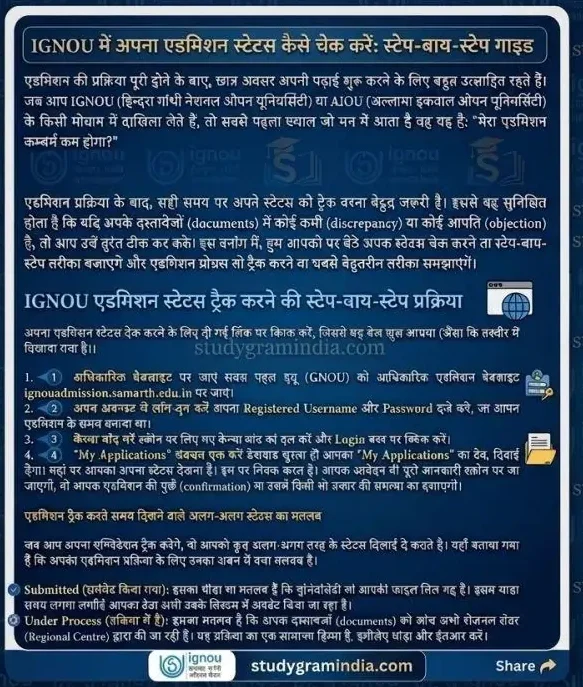
Step-by-Step Procedure to Track IGNOU Fresh Admission Status
- To check your admission status click on the link to open the page as you can click the link.
- Visit the Official Website First or that link go to the official IGNOU admission portal: ignouadmission.samarth.edu.in.
- Log In to Your Account which you was generate first time Enter the Registered Username and Password that you created at the time of admission.
- Now Enter Captcha Input the captcha code exactly as shown and click the Login button.
You can easily Check your Admission Status in IGNOU first Check the “My Applications” Section As soon as your dashboard opens in front of first page you will see the “My Applications” tab. This is where you need to check your status of admission. Once you click this, the complete details of your application will appear on the screen showing whether your admission is confirmed or if there are any issues/discrepancies you can take the screenshot of this status.

Different Status Types You Might See While Tracking Your Admission
when your are going to Check your Admission Status in IGNOU while tracking your application, you’ll come across different status updates. Now here is what each one normally means for your admission:
Submitted: This simply means the university has received your file it will take some time and your information is currently being updated in their system.
Under Process: it means that Your documents are currently being verified by the Regional Centre. This is a standard part of the procedure, so it might take a little more time wait more.
Discrepancy Raised: This happens if your documents (like your photos or marksheet) aren’t clear or have low resolution which we mention in our admisison process post. The university will ask you to upload them again. Make sure to fix this immediately, or your admission could be canceled or ristrickted. You can check our post on the admission process for more details on how to handle this.
Admission Confirmed: Congratulations! Your admission is officially approved by IGNOU which is a very good sign for you and you are all set to move forward with your studies.
Watch this video in HINDI to Check Your Admission Status in IGNOU
What to Do Once Your Admission is Confirmed after that?
As soon as your status changes to “Confirmed” in the IGNOU Samarth Portal make sure to take care of these three things right away:
Save Your Enrollment Number: This is a 10-digit number that serves as your permanent roll number in computer or laptop or also in your mobile device. Keep it safe, as you’ll need it for everything moving forward.
Download Your ID Card: You will see a “Download ID Card” option right there on the portal. Just a heads-up: your Enrollment Number usually acts as the password to open the file.
Check Your Study Material: About 15 days after your admission is confirmed, you can start tracking the status of your books (study material) to see when they’ll arrive.
Important links (Quick Access) for Check your Admission Status in IGNOU
| Service | Direct Link |
| Fresh Admission Tracking | Click Here |
| Registration Detail Check | Click Here |
| ID Card & Documents | Login Samarth Dashboard |
Frequently Asked Questions (FAQs)
Q1: Normally How long does it usually take for IGNOU admission after 1st step of admission?
Typically, it takes anywhere from 15 to 30 days. However during peak admission seasons also in the last dates of admissions when they receive a lot of applications, it might take a bit longer than usual.
Q2: What should I do if I forget or lost my login password?
it is very easy Don’t worry! Just go to the official portal of IGNOU Samarth portal and click on the “Forgot Password” link. You can easily reset it by verifying your registered email address or mobile number.
Q3: Will I receive an SMS once any time my admission is confirmed on my registered number?
Yes, why not after your complete profiling IGNOU sends a confirmation message to both your registered mobile number and your email address once everything is finalized. Share this Check your Admission Status in IGNOU post to the others.
Final words
By the way, if you’re looking for any Solved PDF Assignments you can grab them for free from our website, studygramindia.com. Also, if you need anything else—like scanned pdf hand written assignments for online mode and handwritten assignments for ODL mode solved guess papers, exam notes, thesis work, projects, or any other IGNOU study material—just give us a shout on our official number or drop an email at info.studygramindia@gmail.com. We’re here to help!


