


IGNOU Re-Registration Guide: Everything You Need to Know for All Sessions
Getting into IGNOU is just the first step, but many students make the mistake of thinking that their initial admission is all they need. That’s not actually the case. To move on to your next year or semester more important to know that the most important thing you need to do is complete your IGNOU Re-Registration before ignou re registration last date.
Unfortunately, a lot of students end up wasting an entire year simply because they didn’t have the right information at the right time or from any source of IGNOU Re-Registration properly. We’re here to help make sure that doesn’t happen to you. In this guide, we’ll break down exactly why re-registration is necessary, when the deadlines are, and the simplest way to get it done you must complete this process in ignou samarth portal login.
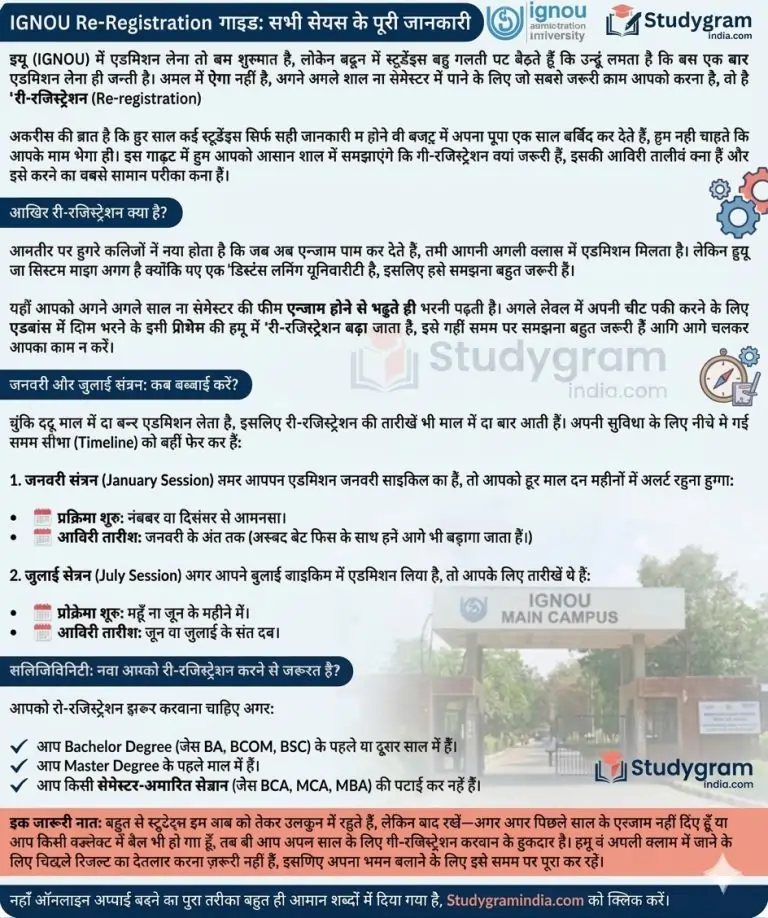

IGNOU re registration process step by step?
In most regular colleges, you usually have to pass your exams before you can move up to the next class and session. But since IGNOU follows a distance learning model their system works a bit differently you need to know about this process of IGNOU Re-Registration.
Basically, you have to pay the fees for your next year or semester before you even sit for your current exams. This process of paying your upcoming fees in advance to secure your spot in the next level is what IGNOU calls “Re-registration.” Student after exams should complete this process It’s a crucial step to understand so you don’t get stuck later on.
in one year January and July Sessions: When Should You Apply?
Important point for student that Since IGNOU takes admissions twice a year, the IGNOU Re-Registration window also opens up twice. To make things easy and submit your ignou re registration fees here is a quick timeline you should definitely save:
1. The January Session If you first joined during the January cycle, you’ll need to keep an eye out during these months every year:
When it starts: Usually around November or December IGNOU Re-Registration.
The Deadline: Generally by the end of January (though they often extend it with a late fee).
2. The July Session If your admission is part of the July cycle, your schedule will look like this:
When it starts: Typically in May or June.
The Deadline: Usually runs until the end of June or July ignou admission january session.
Eligibility Criteria for Re-Register before complete your IGNOU Re-Registration status?
- In this stage You must need to complete your re-registration if any of the following apply to you:
- In this stage You are currently in the 1st or 2nd year of a Bachelor’s Degree programme (like BA, BCOM, or BSC).
- In this stage You are a 1st-year Master’s student after exams.
- In this stage You are enrolled in any semester-based program (such as BCA, MCA, or MBA levels).
Important Note for continue students: Don’t let exams confuse you! Here need to inform you that Even if you missed your previous exams or didn’t manage to pass a subject and courses you are still eligible to re-register for the next year. Your admission to the next level isn’t tied to your current results, so make sure you don’t skip this step.
For More guidance of
IGNOU Re-Registration process watch this video in hindi
Watch Video Guide
Step-by-Step: How to Apply Online for IGNOU Re-Registration
Now Just follow these simple steps to complete your application of IGNOU next semester registration:
Link connect of Admission: First, visit the main IGNOU website. Look for the ‘Register Online’ tab and click on the ‘Re-Registration’ option.
Log in to the Samarth Portal: This will take you to the Samarth portal of admission (https://ignou.samarth.edu.in/).
- If you’ve used it before and must you have this just log in with your Enrollment Number and Password on IGNOU student portal samarth.
- If it’s your first time here now click on ‘New Registration’ to set up your account and go for IGNOU course selection process.
- Pick Your Courses: Once you’re logged in, you’ll need to select your subjects for the upcoming year or semester which you want to select them.
Quick Tip: You’ll have some compulsory subjects but for your electives, try to pick things you actually find interesting also remembered your course codes on this moment!
Choose Your Books: You have two ways to get your study material Assignments Question papers online or ODL mode:
Digital Material (15% Discount) IGNOU offering you: Choose this if you’re happy reading online or on your laptop. It saves you some money!
Printed Material: Choose this if you prefer having physical books delivered to your home or postal adress.
Pay the Fees: You can pay your fees online using your Debit Card, Credit Card, Net Banking, or even UPI or mobile bank.
Save Your Receipt: Once the payment goes through, make sure to download or print your ‘Form Summary’ and ‘Payment Receipt.’ You’ll definitely want to keep these for your records.
Important Tips to Keep in Mind (Pro-Tips)
Don’t wait until the last minute: The main Issue to avoide re registration deadline extension from student try not to wait for the very last date to apply. IGNOU’s servers and portal often get super slow or even crash toward the end because everyone is trying to log in at once most of the time link remain down. Getting it done early will save you a lot of headaches.
Dealing with payment glitches: If your money gets deducted from your bank account but the portal doesn’t show “Success,” don’t panic! And definitely don’t try to pay a second time right away. Just wait for about 48 hours—usually, the system updates itself by then.
Choose your subjects carefully: Take your time when picking your subjects. Once your re-registration is confirmed, changing a subject is a huge hassle and usually involves extra fees. It’s much easier to just double-check everything before you hit submit!
Frequently Asked Questions (FAQs) About IGNOU Re-Registration
Q: Do I still need to re-register in IGNUO if I or any student failed my exams complte or no need?
A: Yes, ofcourse! Even if you didn’t pass and appear or couldn’t make it to the exams, you should still go ahead with your IGNOU Re-Registration. This way, you can keep moving forward with your next year/semester without wasting any time fee will remain compulsory.
Q: How much is the re-registration fee need to submit?
A: There isn’t one set price because it depends entirely on which program you are enrolled in fee may be change in upcoming period or year from IGNOU. The easiest and simple way to check is to log into the portal—your specific fee amount will pop up right there.
Q: What happens if I miss the re-registration deadline after due dates?
A: unfortunately, it’s a big deal. You could end up losing a full 6 months unforutunately (if you’re in a semester-based program) or even a whole year (for annual programs). It’s definitely not worth the risk, so try to stay on top of the dates!


